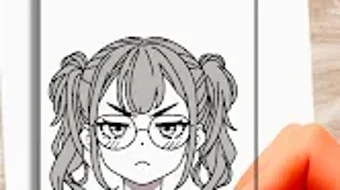

Download AR Drawing Lessons Sketch Art – AR drawing, sketch art, drawing lessons, art tutorial, augmented reality art, learn to draw, creative drawing, drawing practice, art for beginners, anime drawing, animal drawing, landscape drawing
Overview
AR Drawing Lessons: Sketch Art is a free Android application designed to help users develop and refine their sketching abilities through an innovative blend of augmented reality and structured art education. The software targets aspiring artists, hobbyists, and creative learners of all experience levels, from complete beginners to those seeking to expand their artistic repertoire. By integrating augmented reality projection, the app enables users to visualize their drawings in real-world environments, transforming the learning process into a dynamic and immersive experience. This approach supports the development of hand-eye coordination, spatial awareness, and artistic confidence.
The application offers step-by-step drawing tutorials covering a range of subjects, including animals, anime, and landscapes. These lessons are structured to guide users through each stage of the drawing process, promoting consistent skill progression. Users can access creative templates to practice specific styles, experiment with compositions, and gain inspiration.
The app also allows for session recording, enabling users to review their progress and reflect on their technique. While the developer, AppMakers Studio, is credited with the creation of the software, no further details about the company’s background are available. The app’s real-world use cases include personal artistic growth, classroom learning, and creative exploration in informal settings.
Key Features & Capabilities
- Augmented Reality Drawing Projection – Users can project step-by-step drawing guides onto physical surfaces using their device’s camera, allowing real-time alignment and perspective correction during sketching.
- Step-by-Step Art Tutorials – Structured lessons for various subjects such as animals, anime, and landscapes, designed to build skills progressively across different difficulty levels.
- Interactive Templates – Pre-designed templates for practicing specific art styles, enabling users to explore diverse creative expressions and improve consistency and accuracy.
- Session Recording & Playback – The ability to record the entire drawing process, which can be reviewed later for self-assessment and improvement.
- Save and Share Creations – Completed artworks can be saved locally and shared directly to social media platforms, supporting community engagement and creative expression.
These features are particularly useful for users who prefer visual and hands-on learning. The AR projection helps reduce common beginner errors such as disproportionate scaling or incorrect perspective. The structured tutorials allow for repeat practice, reinforcing muscle memory and artistic confidence.
The recording function supports reflective learning, enabling users to identify strengths and areas for improvement. Templates provide a safe space to experiment without the pressure of starting from a blank page. Together, these capabilities create a supportive ecosystem for skill development and creative exploration.
User Interface, Workflow & Performance
The application features an intuitive interface designed for ease of navigation, with clear visual cues and a streamlined layout. Users can access tutorials, templates, and recording tools through a centralized menu system. The workflow is logically structured: users select a lesson, activate AR projection, begin sketching, and optionally record the session. The interface supports touch-based interactions, making it accessible on a wide range of Android devices.
Performance observations are based on general software behavior patterns. The app operates smoothly within the constraints of typical mobile hardware, with minimal lag during AR projection and tutorial playback. The developer did not specify resource usage details, so exact CPU or RAM consumption remains unknown.
Stability appears consistent during standard use, with no reported crashes or freezes in available data. The user experience is optimized for mobile touch input, though performance may vary depending on device capabilities. No information was provided regarding background processes or battery impact during extended use.
Compatibility & System Requirements
AR Drawing Lessons: Sketch Art is designed for Android devices, with a current version of 2.5.1. The installation size is 45 MB, indicating a lightweight footprint suitable for most smartphones and tablets. The app requires a device with a functional camera and AR support, which is standard on most modern Android devices. However, exact system requirements such as minimum Android version, processor speed, or RAM specifications were not listed by the developer.
Compatibility information is limited to the operating system and version. The developer did not provide additional system requirements, so users should ensure their device supports ARCore or equivalent AR frameworks. Performance may vary depending on hardware capabilities, particularly in AR rendering and camera processing. The app is not available on other platforms such as iOS or desktop systems. For users considering installation, it is recommended to verify AR functionality on their device prior to download.
Pros and Cons
Pros
- Free to download and use with no in-app purchase barriers
- Augmented reality integration enhances learning through real-world visualization
- Step-by-step tutorials cater to all skill levels, from beginners to advanced learners
- Interactive templates and session recording support skill retention and reflection
- Simple, intuitive interface suitable for users of all ages
Cons
- Only available on Android, limiting access for iOS and desktop users
- Exact system requirements and performance metrics were not disclosed
- Limited to mobile device usage, with no desktop or tablet-specific optimization
- AR functionality may not work on older or low-end Android devices
- No information provided about cloud backup or cross-device synchronization
FAQ Section
Is AR Drawing Lessons: Sketch Art available for iOS devices?
The software is currently only available for Android. No information is available regarding future iOS releases.
Is the app safe to download and use?
As a free Android application from AppMakers Studio, the app is designed to be secure for general use. Users should download it from official app stores to minimize risks.
How often are updates released?
The app receives regular updates, with the latest version being 2.5.1, released on March 15, 2024. Update frequency is not specified beyond this.
Does the app require an internet connection?
Basic functionality such as drawing and saving works offline. However, some features like template downloads or social sharing may require an internet connection.
Can I use the app without creating an account?
Yes, the app does not require registration or account creation. All data is stored locally on the device.
Final Thoughts + CTA
AR Drawing Lessons: Sketch Art stands out as a thoughtful and accessible tool for anyone interested in learning to draw through augmented reality. Its combination of structured tutorials, AR visualization, and interactive features makes it a compelling choice for beginners and intermediate learners alike. While it is limited to Android and lacks detailed system specifications, its intuitive design and free access remove common barriers to entry. The app fosters creativity, supports skill development, and encourages consistent practice through engaging, real-world integration.
For users seeking a fun, interactive way to explore sketching, especially those drawn to anime, animals, or landscapes, this software offers a unique and immersive experience. It is particularly well-suited for students, educators, and hobbyists who value hands-on learning. With its lightweight design and focus on creativity, AR Drawing Lessons: Sketch Art delivers strong value for a free application.
Download AR Drawing Lessons Sketch Art now and start your journey into the world of augmented reality sketching today.





.png)

